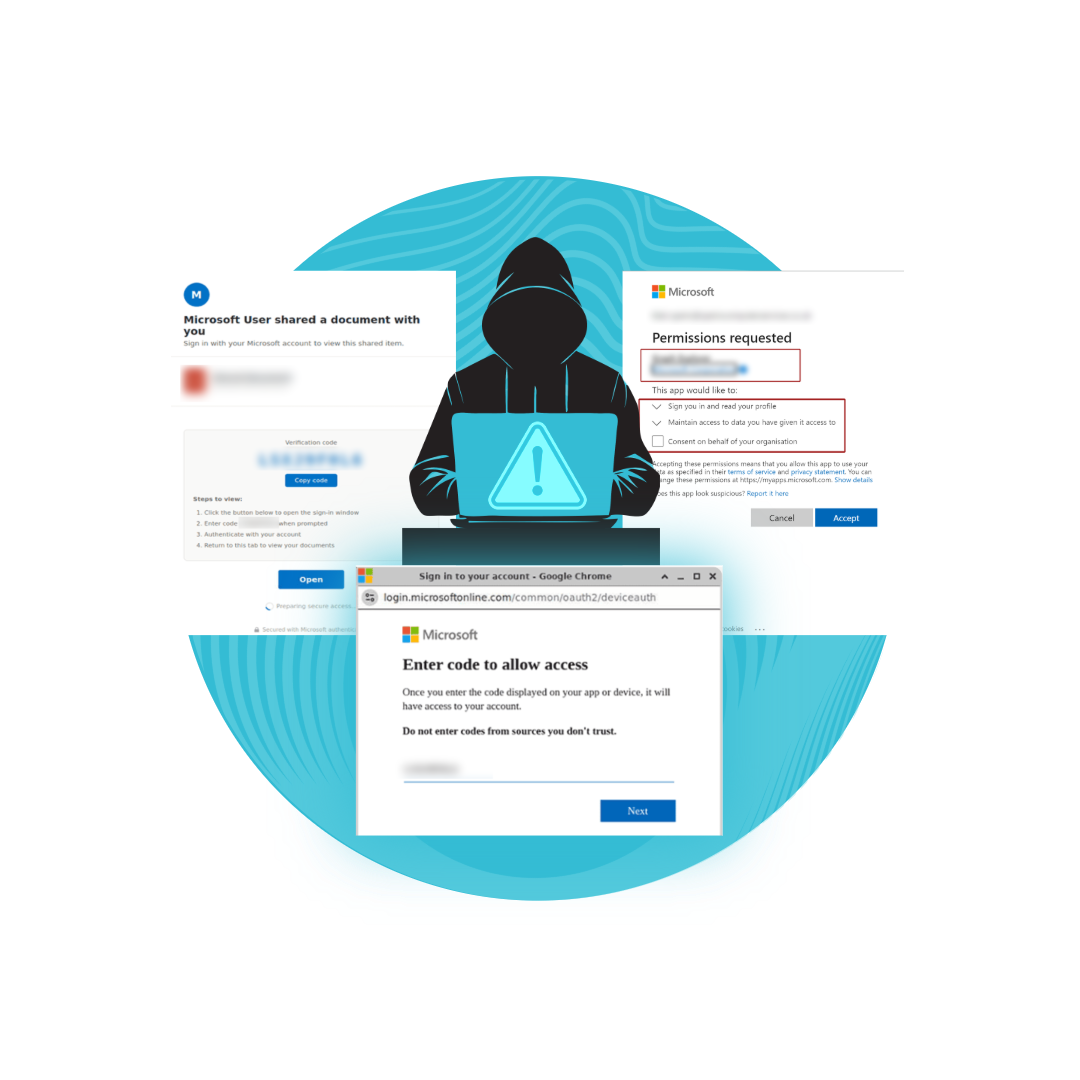
AQUA have encountered new cyber scams in the form of fake Microsoft notifications asking you to click a link.
We have gathered screenshots of what this looks like, so you and your business do not fall prey to this scam.
If you receive a notification that looks like any of the following screenshots DO NOT CLICK.
Immediately phone AQUA at
0141 530 2007 to report it
- even if you are not sure if it is real or a scam.
We will verify and instruct you on what to do next.
Please review and remember the following images:
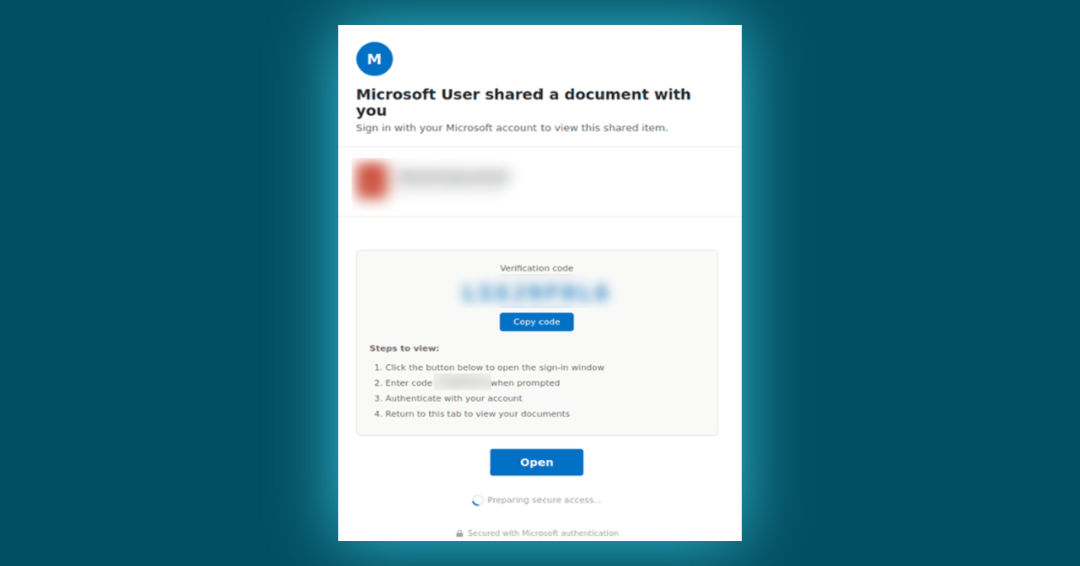
Above: Screenshot showing a scam Application Consent / OAuth Approval.
The user is presented with what appears to be a genuine Microsoft permission request, but in reality these scam permissions allow an attacker to read email, send email, modify mailbox settings, create mailbox rules and more.
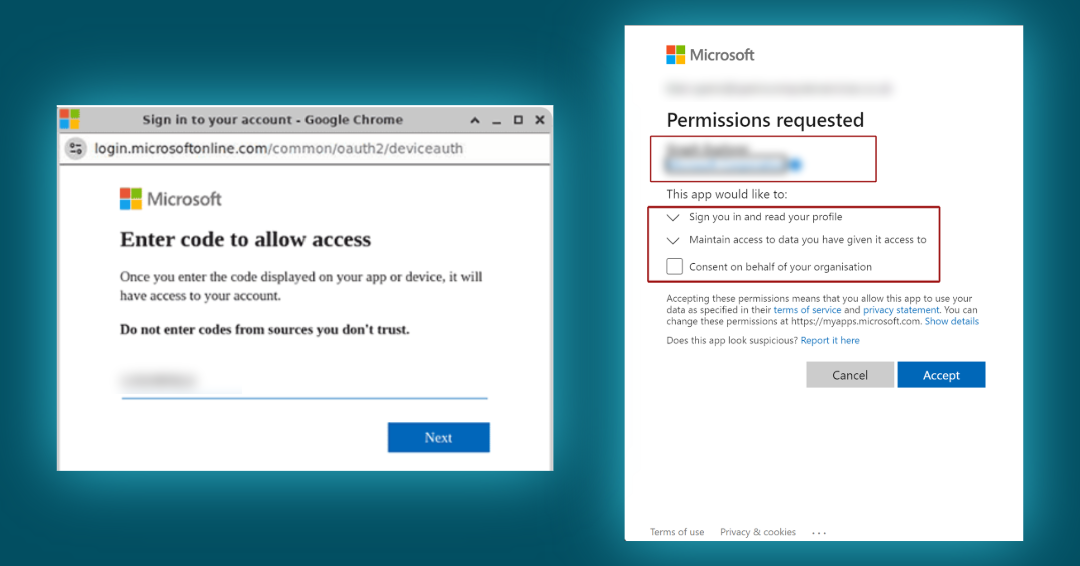
Above: Screenshots of a real Device Code Phishing scam.
Instead of asking users to sign in, the scam shows them a code and tells them to enter it on Microsoft's real sign-in page. By doing this, they unknowingly give the attacker access to their Microsoft 365 account—without the attacker needing their password.